Overview
Connecting to your AWS account from GitHub actions does not require generating an API key and there is a simpler and secure way to authenticate.
GitHub docs recommend using OIDC for authenticating from Actions. I also highly recommend this method!
I have seen a ton of articles online where this is the demonstrated method of connecting from actions is still using an account key. This is definitely NOT the preferred and secured method of accessing your cloud resources.
Let’s cover how we can quickly and securely set this up for an AWS account.
Add GitHub’s OpenID Connect Provider to AWS
You can do this via the AWS CLI or the AWS Console. You can find the AWS docs link here.
If you prefer to use the AWS CLI, you can do this by running the following command.
| |
If you prefer to use the AWS Console, you can do this by going to the IAM service and clicking on the OIDC providers tab.
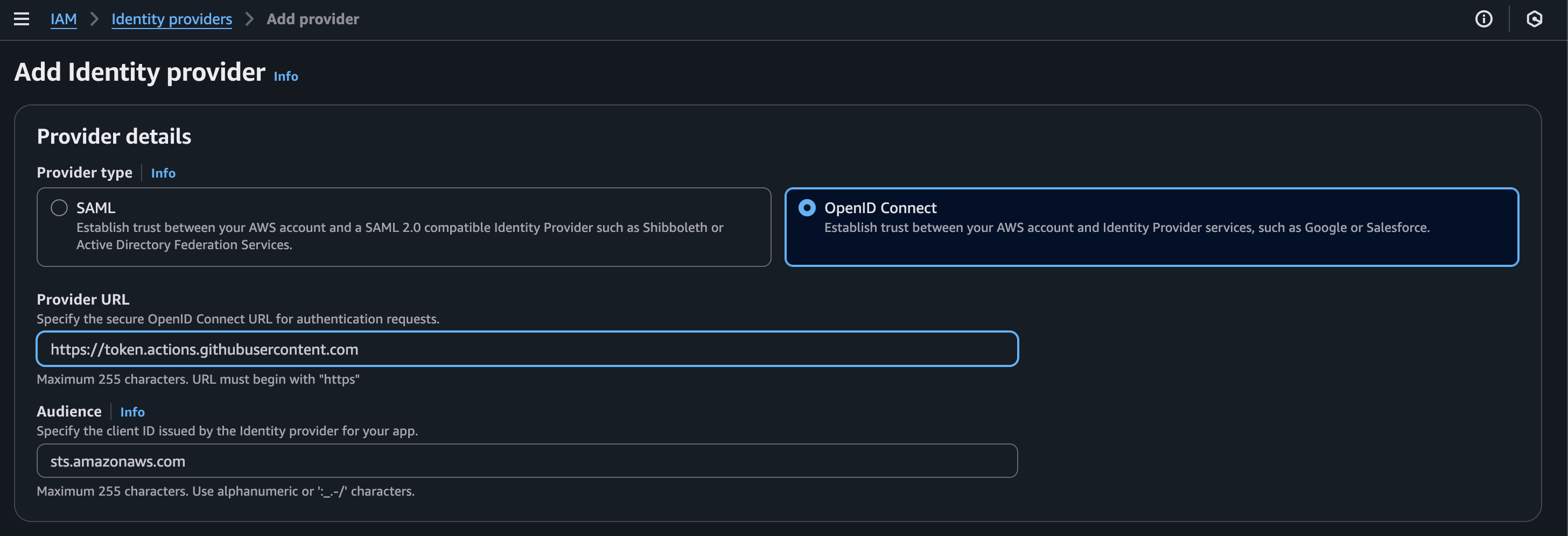
Add AWS OIDC Provider
Create an IAM Role for GitHub Actions
Next, we are going to create a role that will be used by GitHub Actions to access the AWS account.
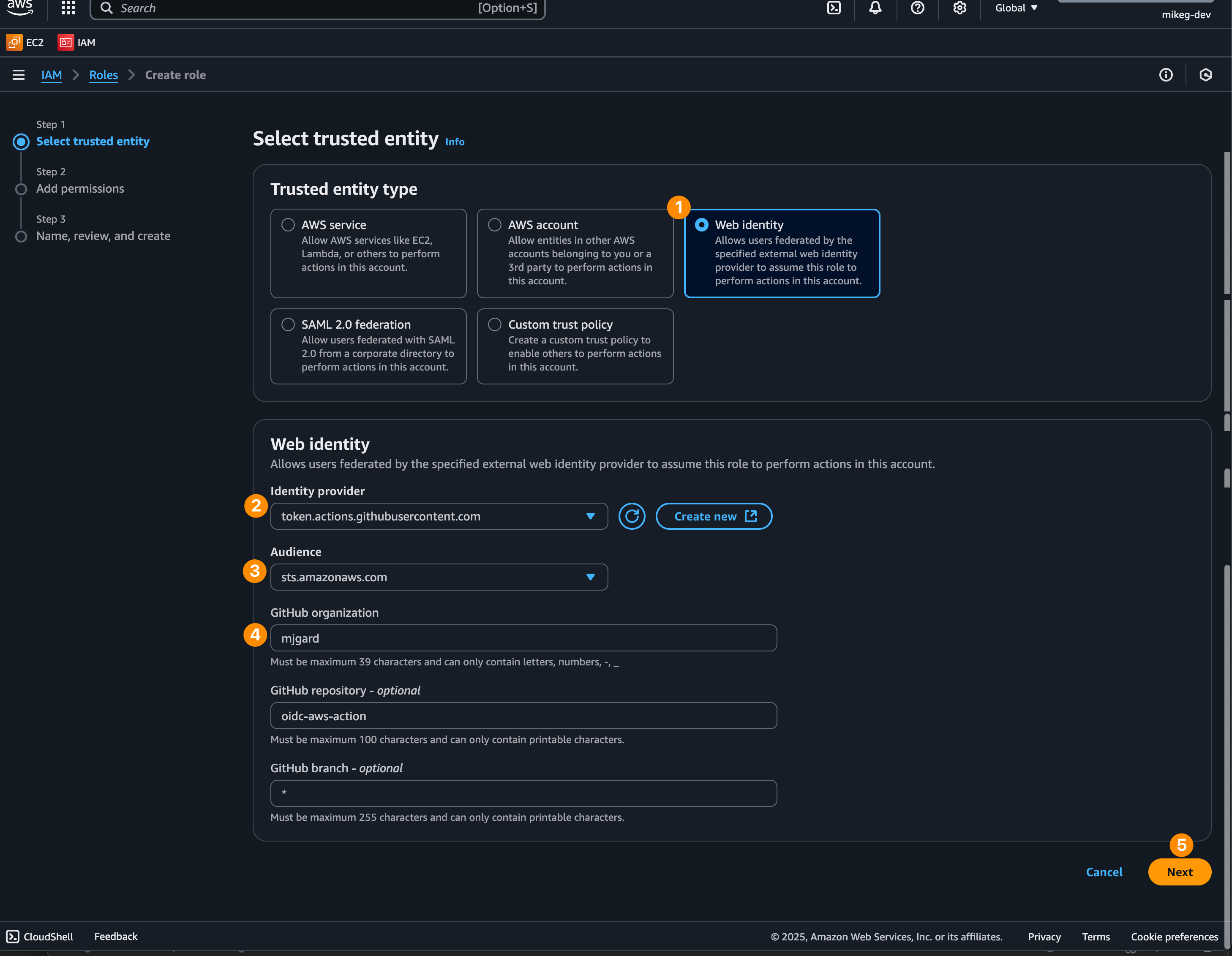
Add AWS Trusted Entity
Configure Role Name and Description
From here, we add the role name and description to our new role.
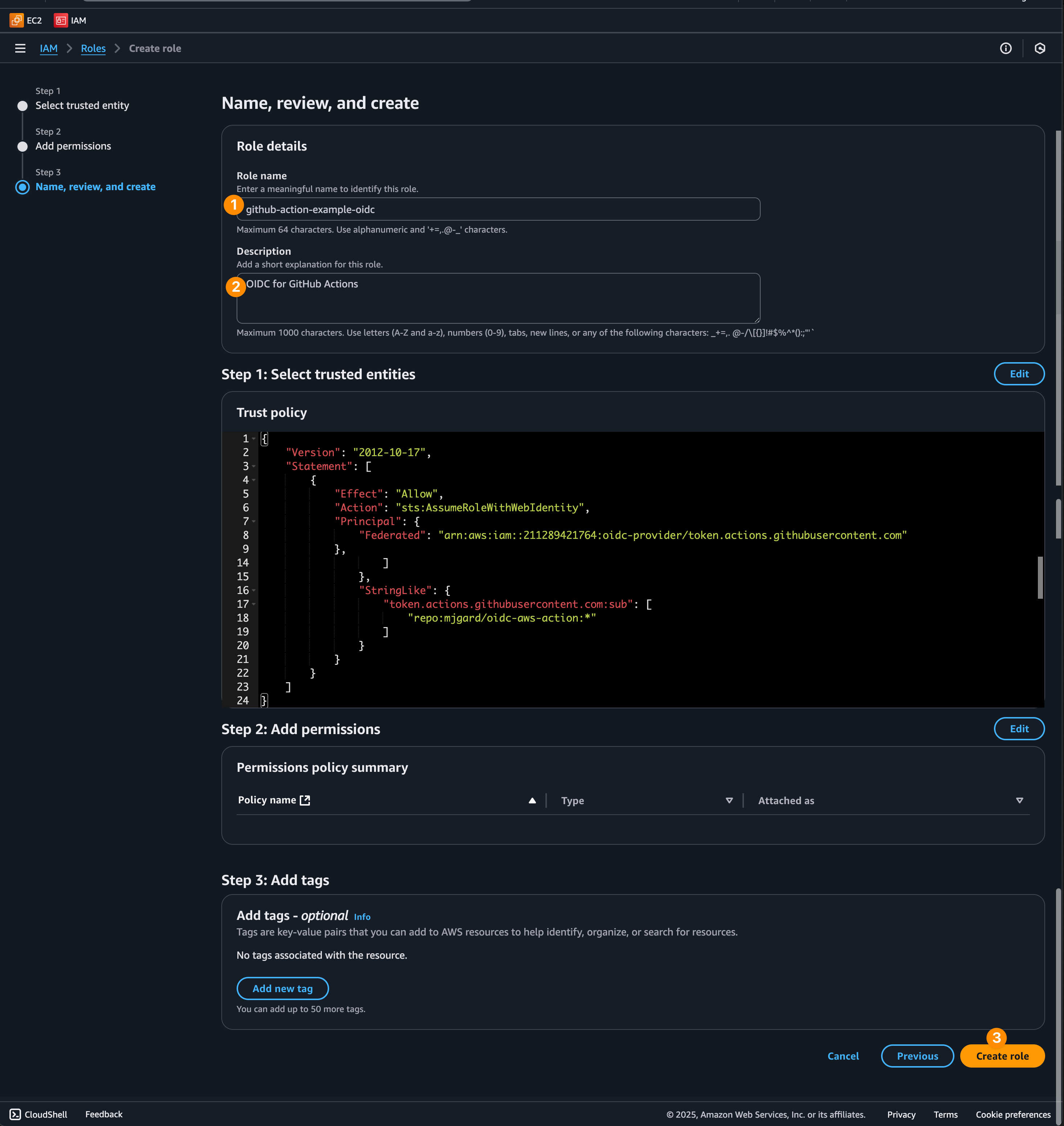
Add the role name and description
Attach a Permission Policy
Add a permission policy to the role, in this case, we are going to allow the role to invoke a lambda function.
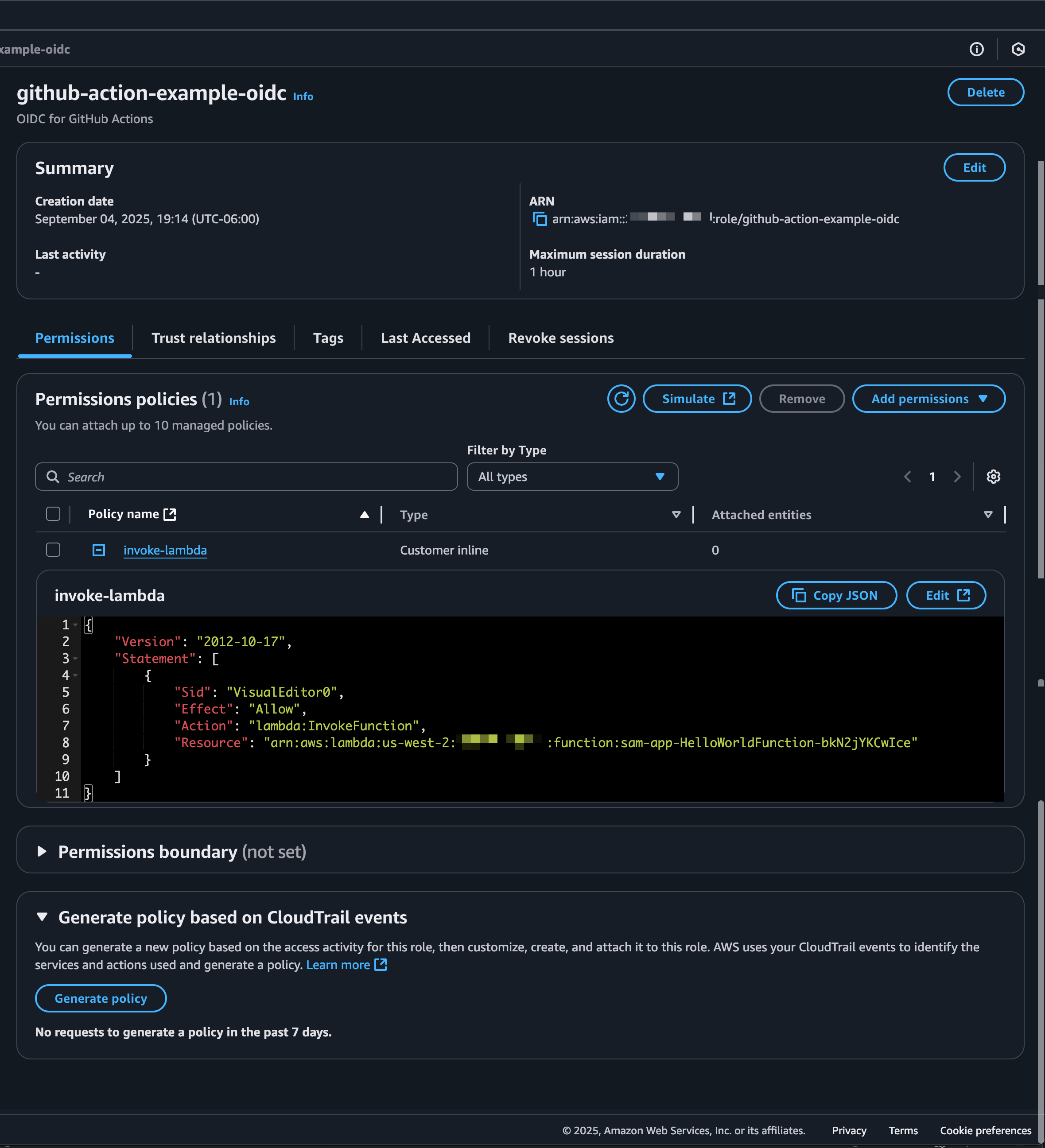
Add permission policy to your new role
Configure GitHub Repository
Once the IAM role is created with the policy attached, we can move over to our GitHub repository.
Add AWS Role ARN to GitHub Variables
In this next example, we can set the ARN in the actions variables section. (This is optional and my personal preference versus that of hardcoding it in the workflow file).
The variable name that I used here was AWS_ROLE_ARN.
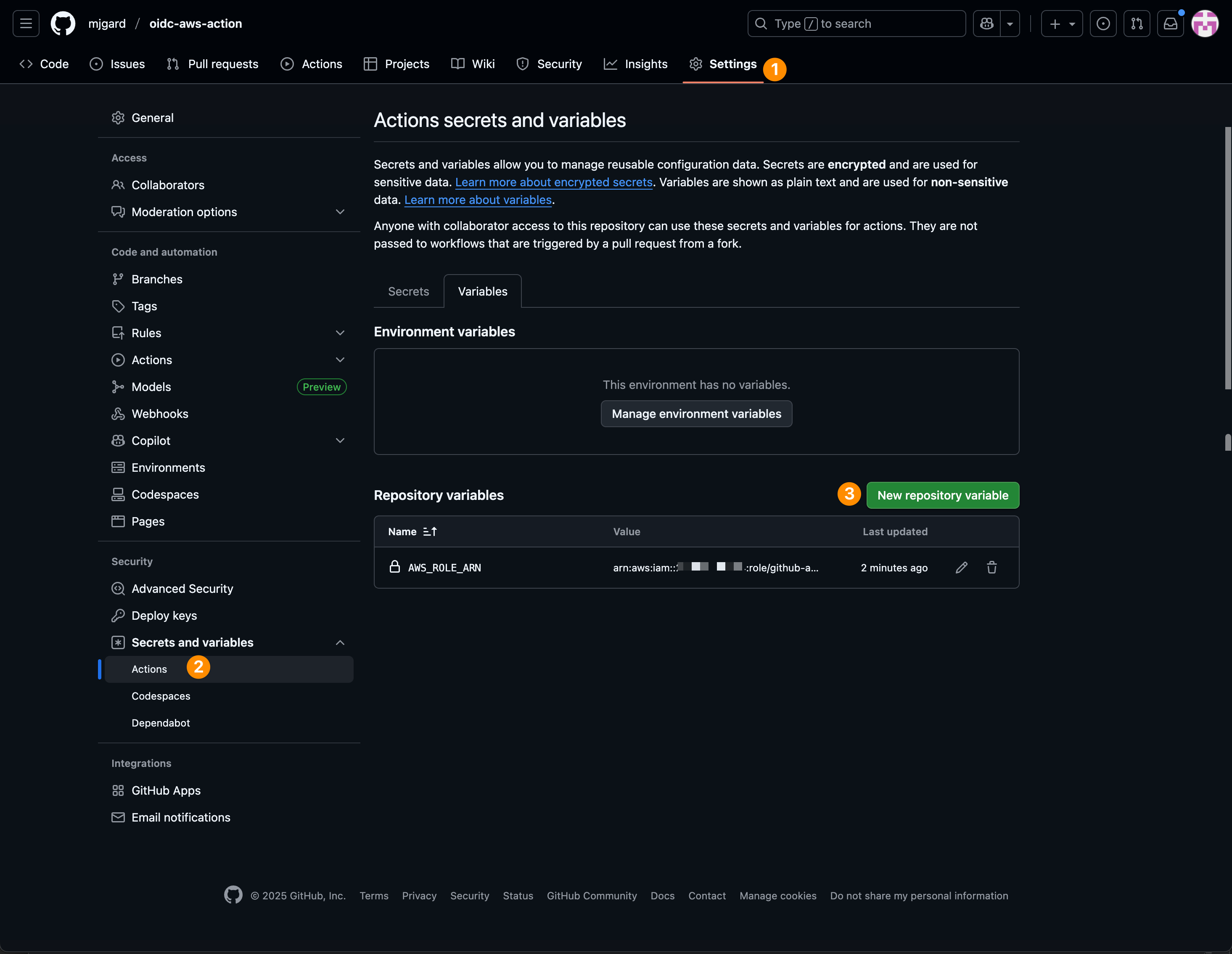
Add IAM role ARN to GitHub Actions environment variable
Create the GitHub Actions Workflow
We need to create a yaml workflow file for our GitHub repository. This file goes in the .github/workflows directory.
| |
Test the Workflow
With the file now added to our repository, we can trigger a workflow dispatch to see the results of our new workflow that we created and the results of the lambda function invocation with authentication via OIDC.
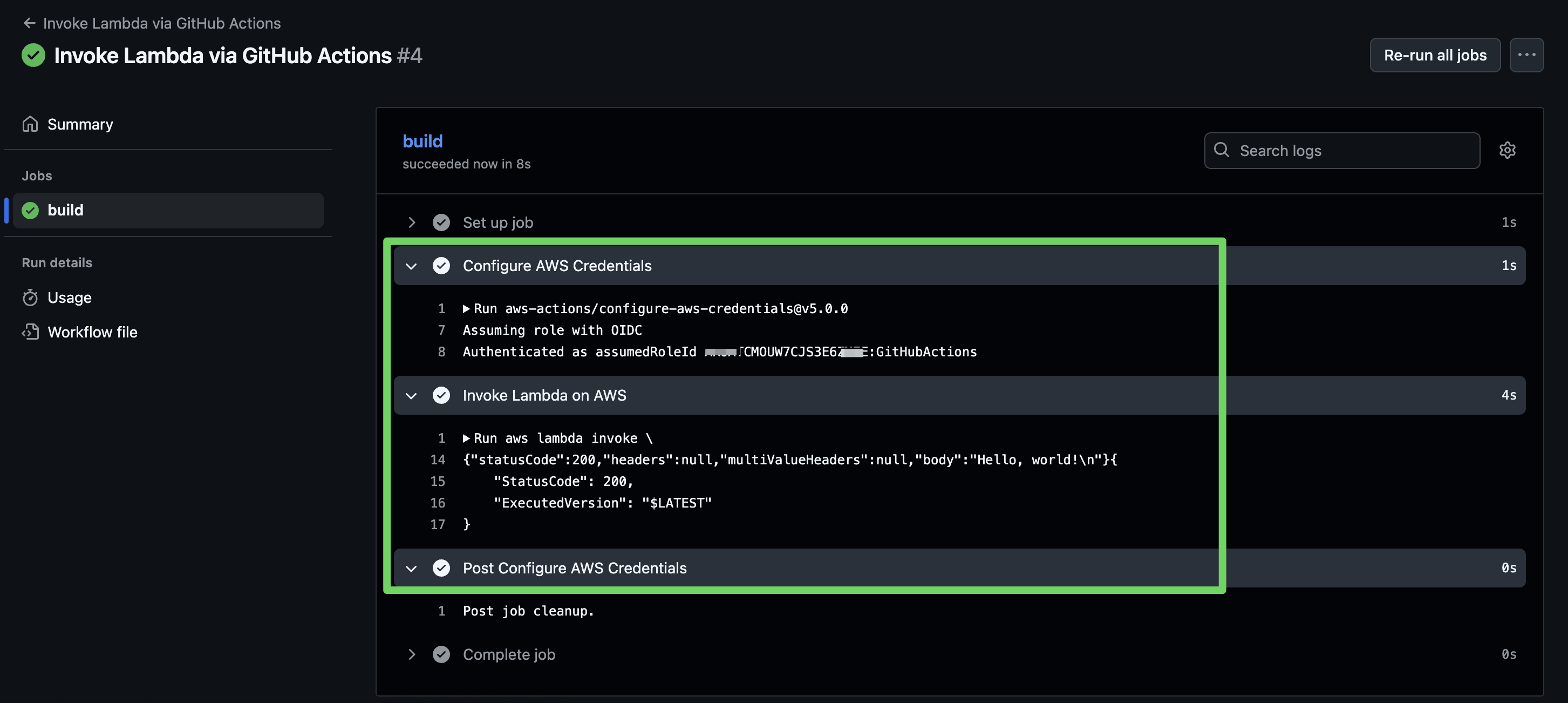
GitHub Actions workflow results from workflow dispatch
Conclusion
I hope you found this helpful and you can now securely connect to your AWS account from GitHub Actions.